Qr File Share
A downloadable utility for Windows
QR File Share — High-Speed Local File Transfer 🚀
QR File Share is a lightweight, cross-platform utility designed to transfer files between your Android device and Windows PC instantly using a simple QR code scan.
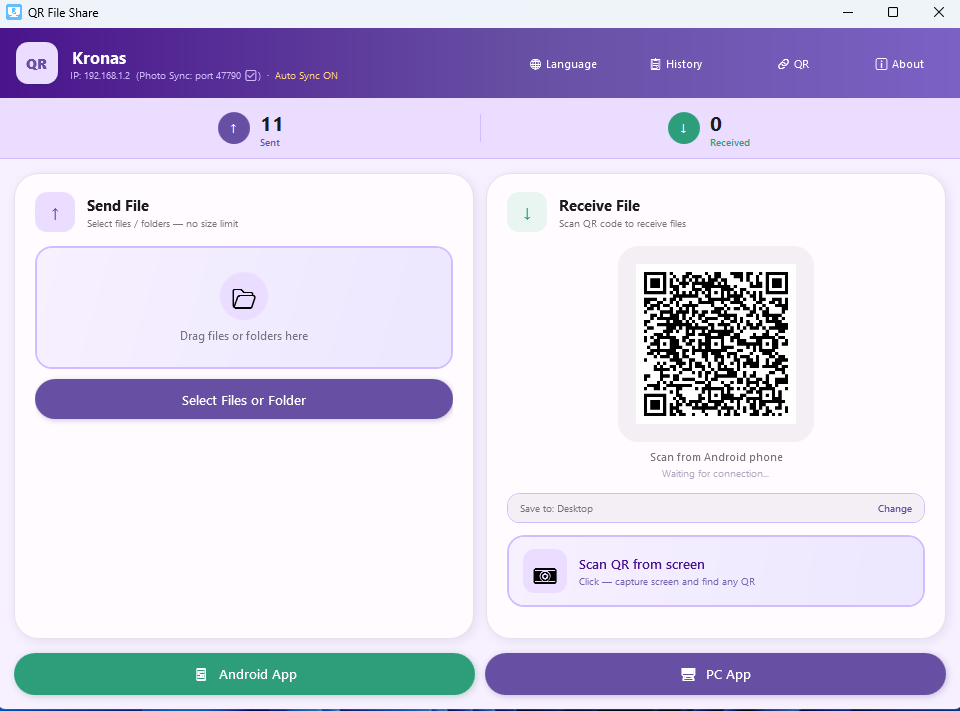
No cables, no cloud accounts, and no internet required. It works purely via your local Wi-Fi or Hotspot (P2P).
Key Features:
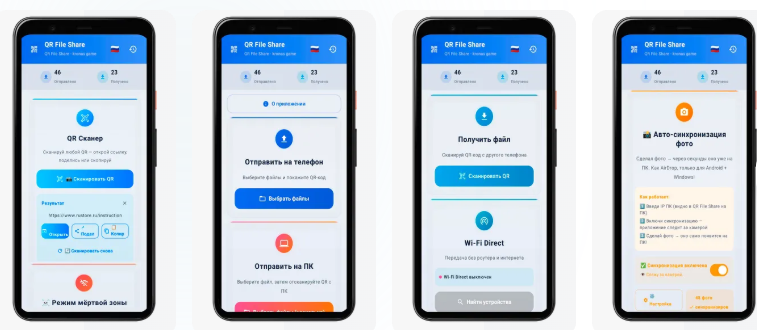
- 📸 AirDrop Style: Send photos, videos, and documents with a single scan.
- 🔒 Privacy First: Your data never leaves your local network. No tracking, no registration.
- 💻 Legacy Support: Fully compatible with Windows 7 (32-bit and 64-bit).
- 🌐 Offline-First: Works anywhere, even without an active internet connection.
How to use:
- Install the Windows client (available below).
- Download the Android app from RuStore.
- Scan the QR code and start sharing!
Download Android App:
Download
Install instructions
Download and run the Windows installer (.exe).
Install the Android app from
Connect both devices to the same Wi-Fi.
Scan the QR code and share files!
Leave a comment
Log in with itch.io to leave a comment.